🗺️ Maps are live!
New Feature
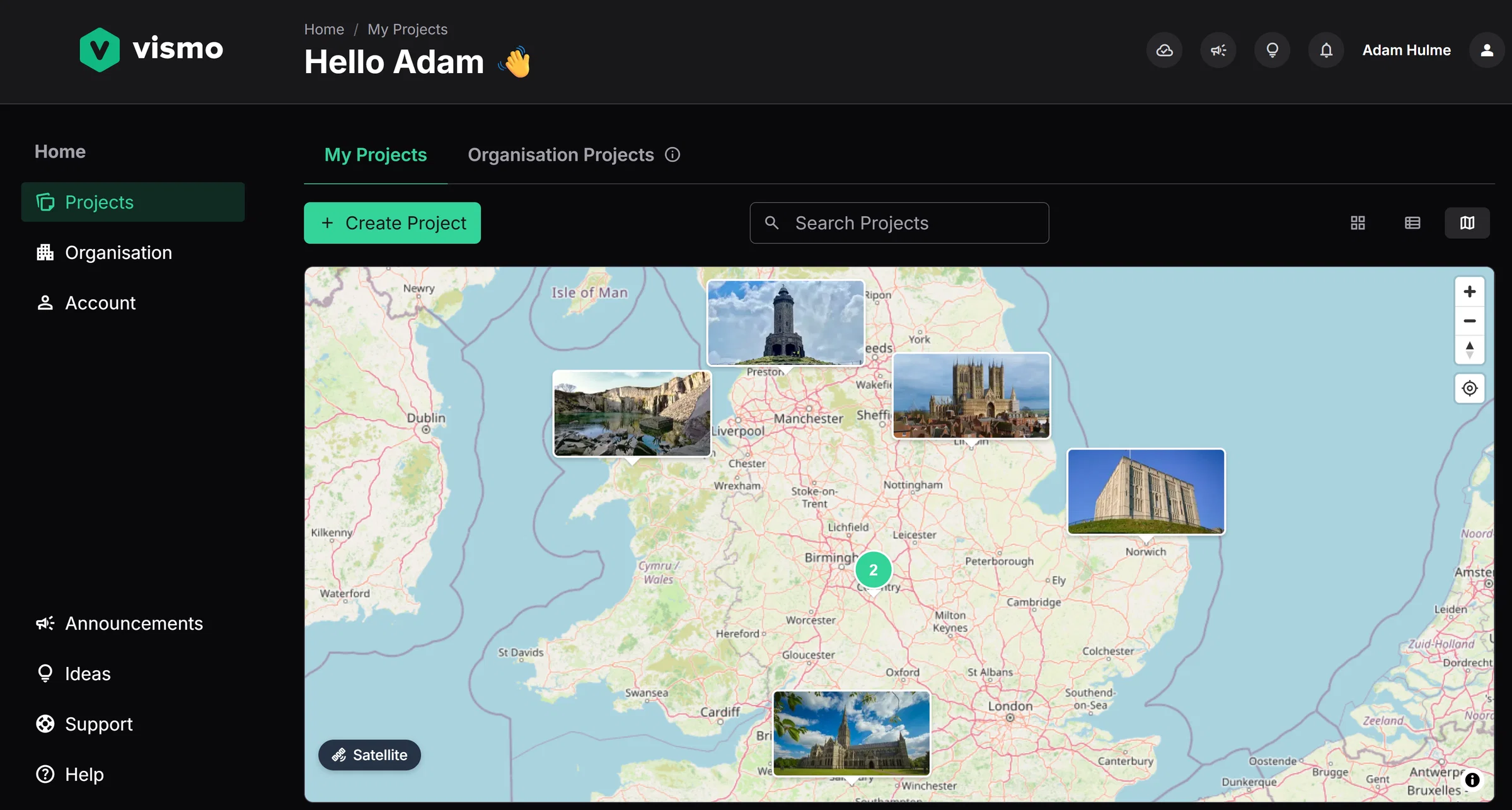
You can now give your projects a real-world location and drop pins inside them, putting every site on the map and every detail in its place.
✅ What's included:
- Switch to the Map view under My Projects to see your entire portfolio at a glance - no more hunting through lists to find the project you need. Try it out: set a location and image on your existing projects via the project settings. Note: this is separate to the address, use the map to select a real world location.
- Drop pins inside the project map to mark points of interest, attach photos, CAD files, point clouds or PDFs, and link straight to a board. Try it out: open any project with a location set and click on Map in the sidebar.
- Overlay a PDF page-by-page onto the map using a quick two-point alignment. Try it out: from the Files menu, click the three dots on a PDF and choose 'Extract map pins from pages'. Tip: use the search bar on the real-world map to find the appropriate location.
Maps give your projects a sense of place, and pins turn that map into the index for everything else in Vismo.